
Get in Balance icon

Get in Balance

Welcome to Get In Balance

Get in Balance is a set of tools to help with that feeling of being all at sea, restoring vestibular balance. If you are feeling generally dizzy, or struggle with movement in a car, for example, Get in Balance can help.

Timers • Speed • Direction • Spacing

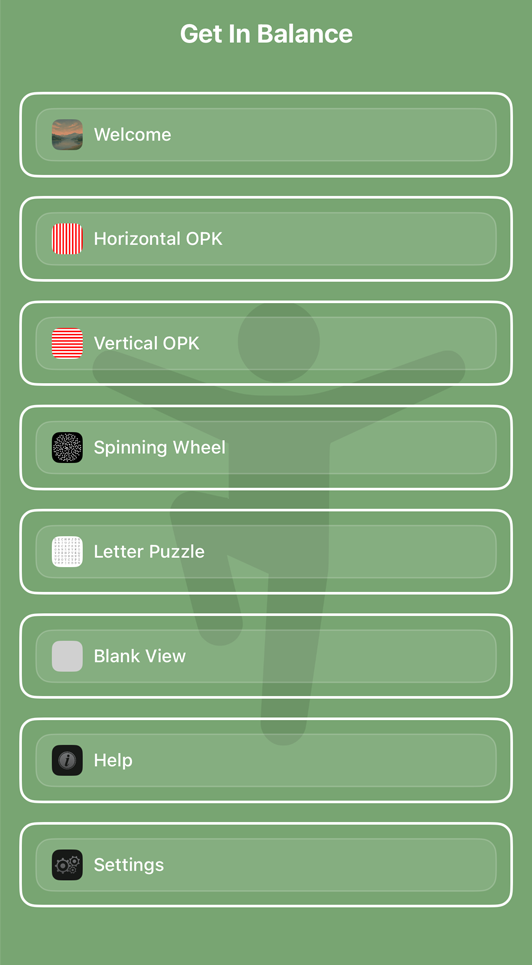
Get in Balance screenshots

What It Does

What It Does

Whether you're feeling anxious, unsteady, or just need a break, the tools here use motion, rhythm, and attention to help settle your nervous system. Even just moving your eyes left and right can help you feel calmer.

How It Works

You can choose from tools known to help with vestibular imbalance, including moving visual lines, spinning dots, or a calming word puzzle. Guided by your vestibular therapist, using these tools can radically change the way you feel.

Customize Your Experience

For OPKs (Lines) you can adjust duration, speed, colors and directions. For spinning dots, you can adjust speed, direction, time and time of automatic direction change. All tools can be shown with or without a timer, so the experience works just for you.

Tools

Line OPKs

For the OPKs, in addition to a double tap to show or hide the countdown timer, several other gestures apply.

The speed at which the lines move can be increased by swiping across the screen to the right, or decreased by swiping to the left.

The new speed will be displayed briefly in the middle of the screen, and saved for future sessions.

Swiping up or down, changes the direction of the lines from left to right or right to left.

For platforms other than the Apple TV, a pinch gesture with your thumb and forefinger is used to expand or contract the column width, with the changes displayed live on screen.

When changed, this setting will be saved for future sessions, and be reflected in the settings screen.

Finally, a long press on the screen will rotate through colours of red, blue, yellow and black for the lines.

Again, when changed, this setting will be saved for future sessions.

Spinning Wheel

To use the Spinning Wheel, find and then focus on the dot in the centre of the screen (better viewed on a large screen).

As with the OPKs, the speed at which the circle spins can be increased by swiping across the screen to the right, or decreased by swiping to the left.

The new speed will be displayed briefly in the middle of the screen, and saved for future sessions.

Swiping up or down, or a pinch gesture with your thumb and forefinger (where available) is used to change the direction of rotation of the spinning wheel.

Letters

The Letter Puzzle is designed to enhance peripheral vision.

It is best projected on to a larger screen, and should be used by challenging your brain to a number of tasks as directed by your physio.

These could include, for example, focussing on a letter then observing with your peripheral vision the letter that is 2 across and down, whilst focussing on the first letter.

Then, after a few seconds, move your attention to another letter and do the same thing in a different direction.

Exercises in picking out all the vowels as quickly as possible, or finding / making words are also useful.

Keyboard Shortcuts

Where a keyboard is available the following shortcut keys apply:
H: Show Help
F: Flip Direction of Lines for OPKs
0-9: Set specific speed
: Increase Speed
: Decrease Speed
: Change Direction
: Flip Vertical/Horizontal Lines
]: Increase Line Column Width
[: Decrease Line Column Width
C: Select Line Colour
O: OPK Lines Horizontal Mode
V: OPK Lines Vertical Mode
S: Spinning Circle Mode
L: Letter Puzzle Mode
T: Toggle Time display
B: Show Blank (Grey) Screen
M: Return to Menu
+: Add 1 Minute to Timer
-: Remove 1 Minute Timer
D: Default settings
Space: Pause/Resume

Screen Sharing

Get in Balance may be better used presented on a TV or larger screen.

To share with Apple devices such as iPads, Macs or Apple TVs, you can use the inbuilt screen sharing.

Alternatively, several 3rd party apps are available that allow streaming to Google TVs and ChromeCast devices.

Download

These tools can support vestibular rehabilitation programs and balance training. They are not a substitute for professional medical advice, diagnosis, or treatment.

Overview

Get in Balance provides a collection of Optokinetic (OPK) and other tools designed to be used for Vestibular Rehabilitation, and in particular for treatments for conditions such as Visual Vertigo (VV) and PPPD (Persistent Postural-Perceptual Dizziness).

(see reference 1 at the bottom of this page for more information).

It is recommended these tools be used under the guidance of a Physiotherapist specialising in Vestibular Rehabilitation.

Please seek medical advice if you are suffering balance or dizziness related issues, and you may find additional useful information at organisations such as VEDA.

__________
1 *Use of Optokinetic Stimulation in Vestibular Rehabilitation*

Our Story

Our Wedding day was a perfect fairytale, though the stress of it all, pressure from kids, and a Covid-19 outbreak from it took its toll on Kira.

On our honeymoon, she started getting "Brain Zaps", Vertigo and other general dizziness that took a very long time to diagnose and treat.

Ultimately, we discovered Kira not only had BPPV (Benign paroxysmal positional vertigo), but also had PPPD (Persistent postural perceptual dizziness) brought on by issues with her ears and the stress.

This meant that she found even the movement of a car distressing and we were virtually trapped at home for some months.

Discovering Vestibular Rehabilitation made a tremendous difference, though this needed exercises that were not readily available.

Luckily, I could develop software, so this application was born.

It radically changed Kira's life, and we can only hope it does the same for you.